
Recipients
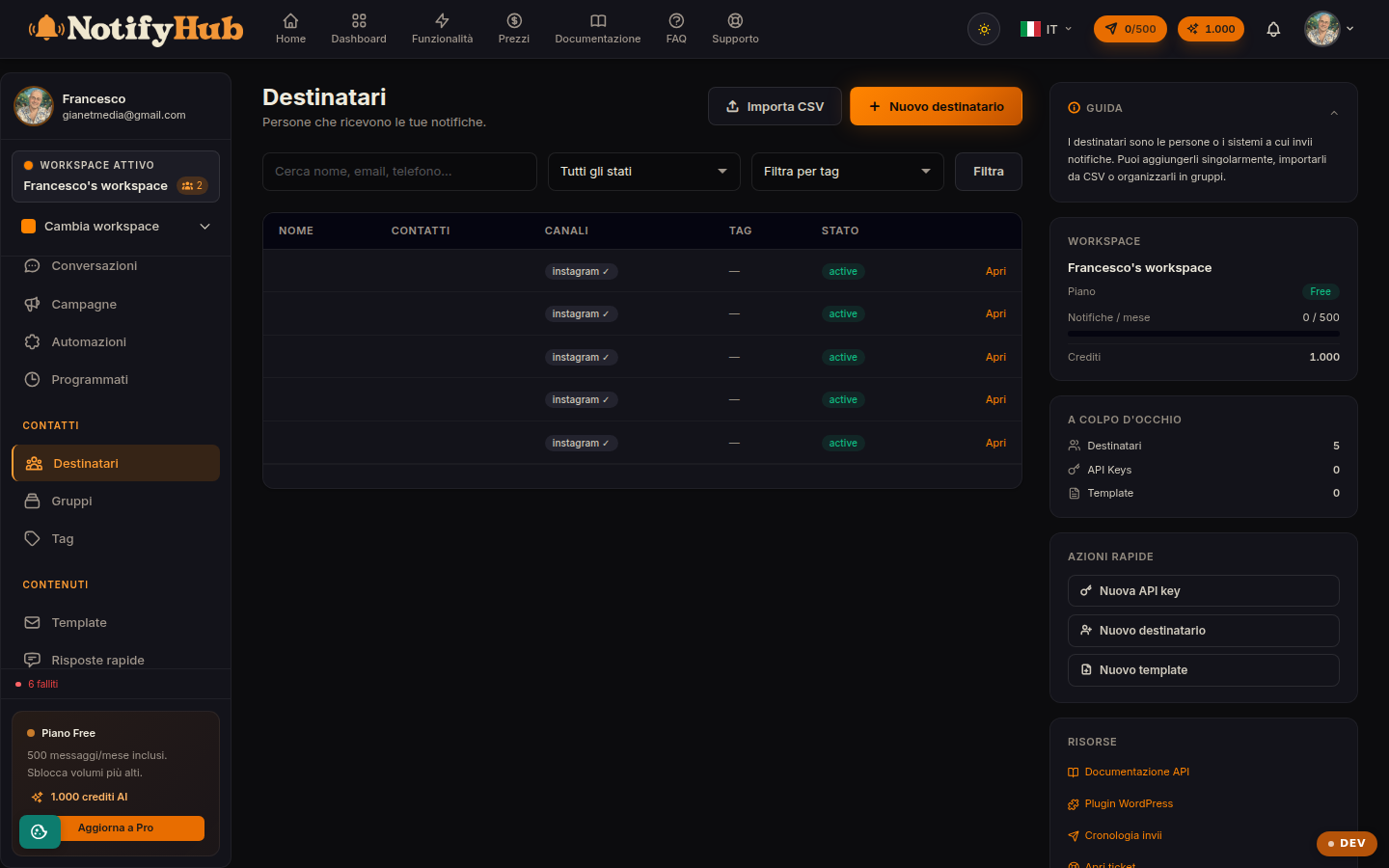
Your contact directory: the people who receive your notifications, with their channels and statuses.
Key points
- Import existing contacts with the CSV instead of entering them by hand.
- A contact can have multiple addresses (phone, email, Telegram ID...): add them all to reach them on the best channel.
- Respect the status: a blocked contact receives nothing; use "paused" for temporary suspensions.
What this page is for
Recipients are the workspace contacts: each person has a name, one or more per-channel addresses (WhatsApp number, email, Telegram chat...), a status (active, paused, blocked) and the tags that classify them. Campaigns, automations and API sends all draw from this directory.
How to use it
Create contacts manually or import them from a CSV file (the page shows the expected format). Search and the status and tag filters help you find the right people; from the contact's detail view you edit their data, manage their addresses and browse the timeline, i.e. that person's history of messages and events.
Statuses and consent
The status controls reachability: bulk sends only reach active contacts, "paused" temporarily suspends communications and "blocked" excludes them entirely. Keep your directory clean and remember that sending communications requires the recipient's consent: only import contacts who have agreed to receive your messages.