
Campaigns
Bulk sends and broadcasts: reach all your contacts, a group or a tag with a single message.
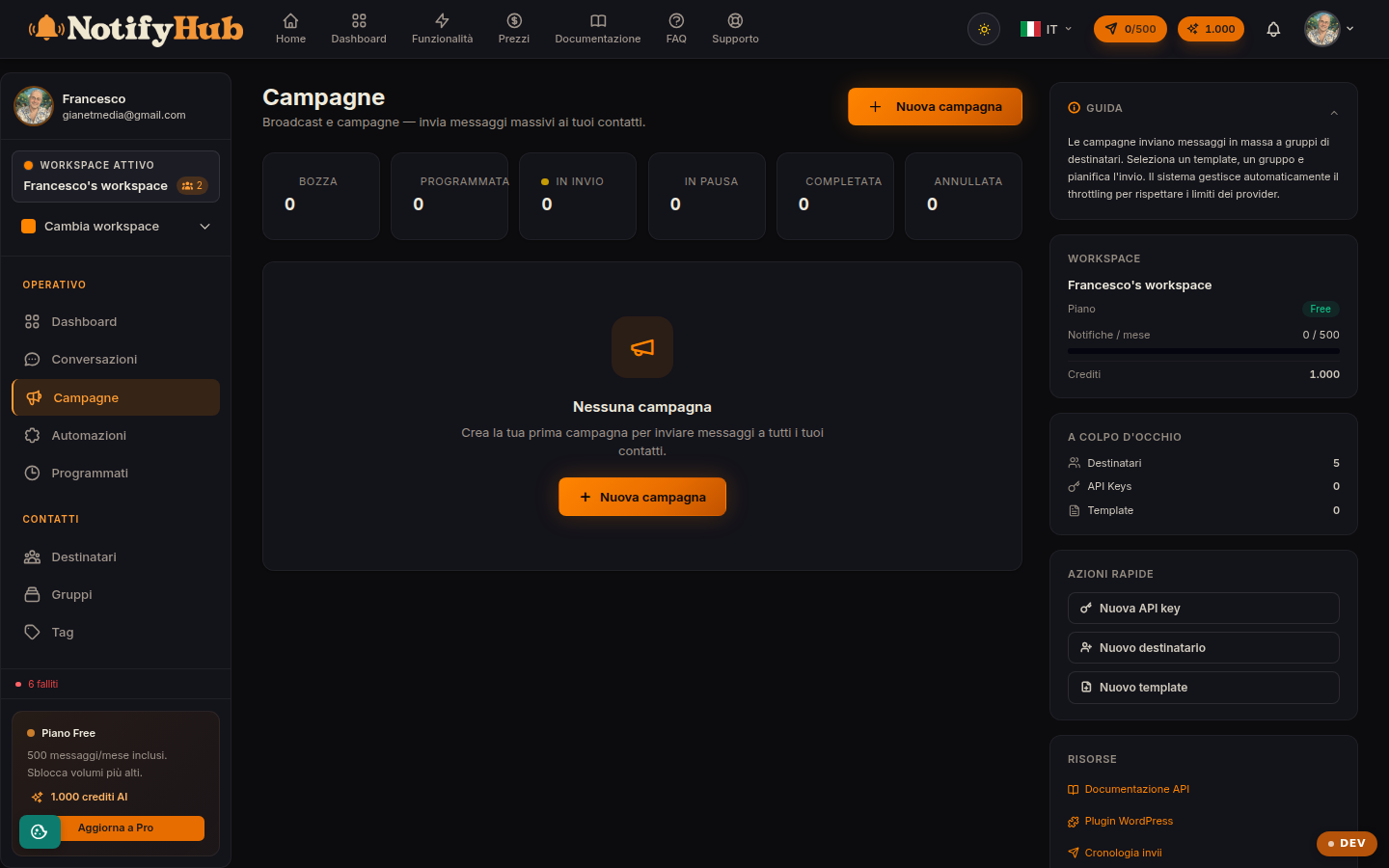
Key points
- Choose your audience carefully: all recipients, a group or a tag — the more targeted the audience, the better the results.
- Set the throttle (messages per minute) so you do not exceed the channel limits, especially on WhatsApp.
- Save as a draft if you are not ready: you can review and send later, or schedule the send.
What this page is for
Campaigns are for one-to-many sends: newsletters, promotions, service announcements. The list shows the campaigns with their status (draft, scheduled, sending, completed) and from here you create a new campaign or open the detail view to follow its progress.
Creating a campaign
When creating one you choose a name, the sending channel and the message template, then select the recipients: all active contacts, a group or the contacts with a given tag. You can send immediately, schedule a date and time or save as a draft. The throttle field limits messages per minute to respect the provider's limits.
During and after the send
From the campaign detail view you can follow the sending counters and pause or cancel a campaign in progress. Every message sent generates a delivery tracked in Deliveries, and the aggregated results (deliveries, failures) flow into Analytics. WhatsApp templates used in campaigns must already be approved by Meta.