
Analytics
Your workspace metrics: volumes, delivery rates, conversations and AI performance (and costs).
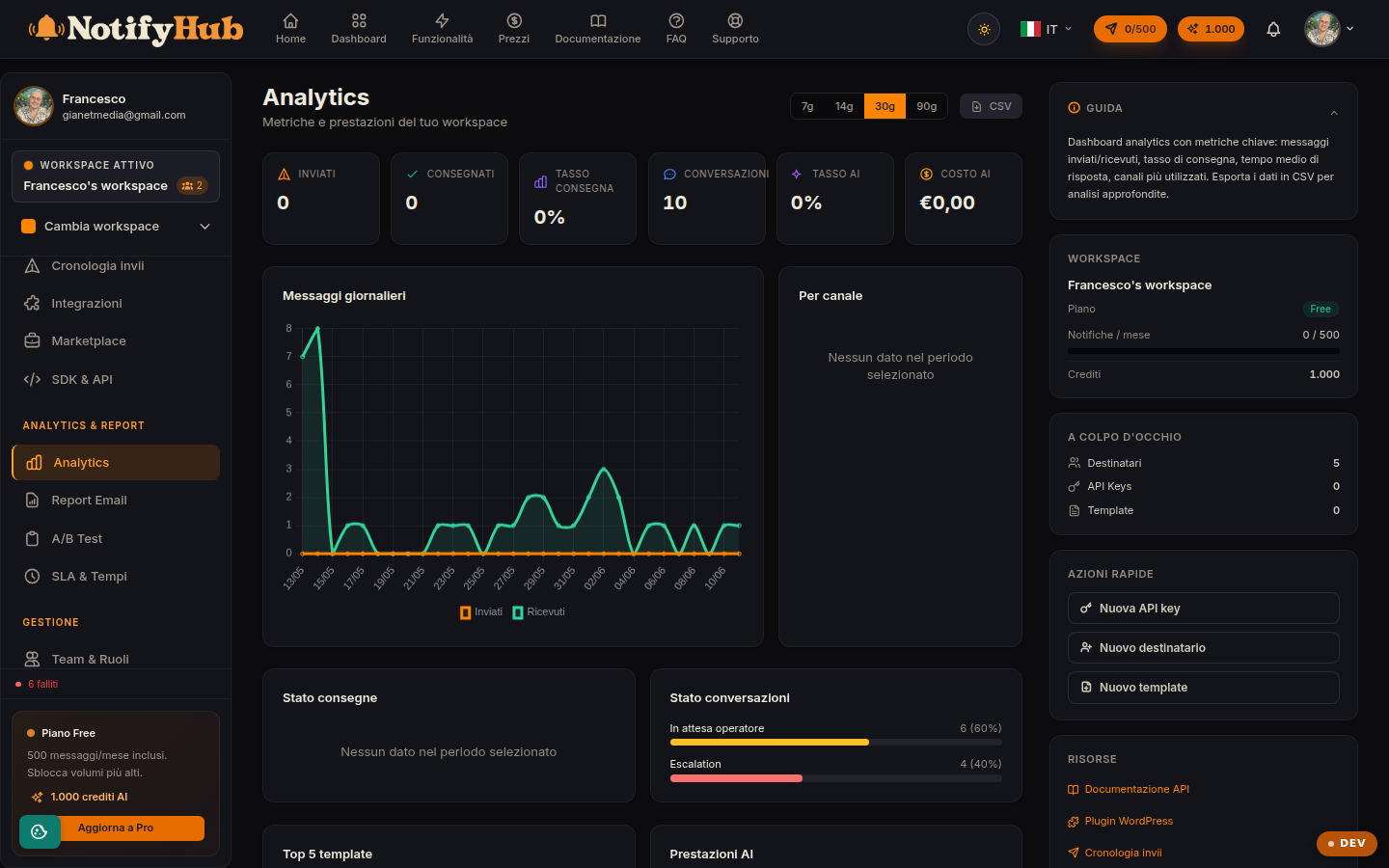
Key points
- Start from the KPIs at the top: sent, delivered and delivery rate tell you right away whether the channels are working.
- Compare channels against each other: a low delivery rate on a single channel points to a configuration issue on that channel.
- Keep an eye on the AI cost and the AI/human ratio to understand how much work the assistant is absorbing.
What this page is for
Analytics brings together the workspace metrics over a selectable period: main KPIs (messages sent, delivered, delivery rate, conversations, AI cost, share of AI replies), daily trend charts, channel breakdown, delivery statuses and conversation statuses.
AI section
If the AI assistant is enabled, the page shows its performance: number of calls, AI replies versus human replies, average response times and the per-model table with tokens consumed, cost and latency. This data helps you fine-tune the AI configuration in the workspace settings and keep costs under control.
Export and deeper analysis
The export button downloads the period's data for external analysis. For the detail of individual sends use Deliveries; for automatically configured periodic email reports see the portal's Reports section.